
Why Google's Indexing Speed Drops After a Site Migration (and How to Recover)

Two weeks after a CMS migration, impressions in Search Console fell off a cliff. The fix is rarely "wait longer" — it is a handful of technical moves you can ship in week one to pull Google indexing after site migration forward by weeks.
This is the situation almost every in-house SEO lead eventually walks into: traffic was flat or growing, the redesign shipped on a Friday, and by the second Monday the chart is sloping the wrong way. The CTO wants a date. The CMO wants a plan. What you need is a short list of causes, a short list of fixes, and an honest recovery window.
Table of contents
- Key takeaways
- Why does Google's indexing slow down after a site migration?
- How long does reindexing really take after a domain or CMS move
- The technical checks that recover indexing fastest after migration
- What to monitor in Search Console during the first 30 days post-migration
- When migration indexing issues mean you need a full content audit
- Frequently asked questions
- Sources
Key takeaways
- Google's indexing pipeline slows down after a migration for predictable reasons: URL changes, crawl-budget friction, and stale signals tied to the old property.
- A realistic recovery window is two to six weeks for a same-domain CMS swap, and two to six months for a true domain move, assuming the technical basics are in place from day one.
- The five moves that recover indexing fastest are: 301 every old URL, ship a clean sitemap, fetch as Google on the priority pages, fix internal links, and verify the property in Search Console.
- Use the 30-day Search Console dashboard (Coverage, Sitemaps, URLs, Manual Actions) as your weekly scorecard during recovery.
- When technical fixes are done and impressions are still flat at the 60-day mark, the issue is no longer indexing — it is content quality, and the SEO content audit guide walks through that next step.
Why does Google's indexing slow down after a site migration?
Google indexing slows down after a site migration because three things break at the same time: URLs change, the crawl budget has to be rebuilt against a new template, and the trust signals attached to the old property stop transferring until redirects and Search Console are aligned. Most of the loss is technical, not editorial.
A CMS cutover usually changes at least one of three things — the URL structure, the rendering stack, or the domain itself. Each one forces Google to relearn your pages as if they were new, even when the content is identical.
Old sitemaps are now stale, internal links may point at paths that 404, and the cache that used to send crawlers straight to your most important pages has to be relearned. Until the redirects, the sitemaps, and the property settings are all consistent, Googlebot keeps wasting requests on dead ends and down-rank the whole site. This is the core mechanics behind site migration SEO indexing problems.
Two non-technical factors make it worse. First, server response times often spike in the first week because the new stack is cold and CDN caches are empty. Second, teams frequently launch a redesign and a content cut at the same time, so Google cannot tell whether a ranking drop is caused by template changes or by the new copy.
The fastest recoveries come from migrations that change one thing — usually the CMS — while the URL structure and the domain stay put.
How long does reindexing really take after a domain or CMS move
A same-domain CMS swap usually recovers in two to six weeks if the technical basics are in place from day one. A true domain move takes longer — typically two to six months — because Google has to transfer trust signals between properties, and that transfer only happens through 301 redirects plus matching structured data. These are the ranges Google documents in its own guidance on site moves with URL changes.
The numbers above are honest averages, not promises. A small site with a few hundred URLs and a clean redirect map can recover in days. A large e-commerce catalogue with faceted navigation and parameterised URLs can take a full quarter.
The variables that stretch the window are well known:
- Redirect chains longer than one hop.
- Sitemap files that exceed the 50,000-URL limit.
- Soft-404 pages that waste crawl budget.
- Any change to the canonical URL pattern that Google has to discover on its own.
The question most teams actually ask is how long Google takes to reindex after migration, and the short answer is: long enough that you should plan the technical checklist before launch, not after. A migration that ships with a 301 map, an updated sitemap, and verified property settings is a different project from one that ships without them.
The technical checks that recover indexing fastest after migration
The five checks that recover indexing fastest after migration are: redirect mapping, sitemap hygiene, canonical tags, internal links, and Search Console verification. They are listed in the order they should ship, because each one builds on the one before it.
Is your 301 redirect map actually complete?
A 301 redirect map is complete when every URL that returned traffic on the old property points to a single, equivalent URL on the new one. Redirect chains — A redirects to B redirects to C — should be flattened to a single hop.
Loose mappings, where ten old URLs redirect to the same generic homepage, are technically valid but they destroy ranking signals; each important page needs its own destination. Google treats a chain longer than one hop as a soft signal that the destination is unreliable, and it crawls chained URLs less aggressively.
How clean is your new sitemap?
A clean migration sitemap contains only the URLs you want indexed, returns HTTP 200, and lives at a stable, crawlable path. It should be referenced from the robots.txt file and submitted in Search Console within hours of launch.
For very large sites, splitting the sitemap into a sitemap index with multiple child files is safer than one oversized file, because Google caps sitemap files at 50,000 URLs and 50 MB uncompressed. Stale URLs — pages that existed on the old property but were removed during the migration — should be excluded, not redirected to the homepage.
Are canonical tags consistent with the redirects?
Canonical tags and 301s have to point at the same URL, otherwise Google gets two contradictory signals about which version is the master copy. The most common post-migration mistake is a CMS that auto-generates canonical tags from the request path while the redirect sends the URL to a different path.
Self-referencing canonicals should match the final URL after redirect, not the requested one.
Are internal links pointing at the new URLs?
Internal links pointing at the old URLs waste crawl budget and leak PageRank. After a rewrite-heavy migration, the most common leak is navigation menus and footer links that still resolve to the old paths. Crawling your own site with a tool that compares discovered URLs to live URLs will surface the leaks within an hour.
Is the new property verified in Search Console and the old one still active?
Both properties should be verified in Search Console during the transition. The old property is needed to monitor 404 spikes; the new one is needed to submit sitemaps and inspect URLs. Removing the old property verification too early hides the most useful diagnostic data you have.
What to monitor in Search Console during the first 30 days post-migration
During the first 30 days post-migration, the four Search Console reports that matter most are Coverage, Sitemaps, the URL Inspection tool, and Manual Actions. Read them weekly, not daily, because daily noise on a brand-new property is normal and overreacting leads to worse decisions. These are the same reports Google documents in its Search Console documentation.
What should Coverage actually look like?
Coverage should trend toward zero excluded URLs for the pages you care about. A spike in "Excluded by noindex" is expected for old tag pages, internal search results, and pagination URLs.
A spike in "Crawled — currently not indexed" is the warning sign, because it means Googlebot found the URLs and decided not to store them, usually because the content looked thin or duplicated.
A spike in "Soft 404" is the bigger warning, because it means Google crawled the URL, found no content, and treated it as a dead page.
When does Sitemaps report a real problem?
Sitemaps reports a real problem when the success ratio drops below 100 percent or when "Discovered URLs" stops growing. A sitemap that was 4,000 URLs yesterday and is 3,200 today after a migration is a sitemap that contains dead URLs, which is the single most common reason crawl budgets stall after launch.
How should the URL Inspection tool be used?
The URL Inspection tool is used to request indexing for the priority pages, not for the whole site. The correct pattern is: identify your top fifty URLs by old traffic, request indexing for each one the day the migration ships, then watch the index count climb in the Coverage report.
Requesting indexing for an entire sitemap is treated as a low-quality signal and Google throttles it. This is the manual override that recovers indexing for the URLs that actually carry the business.
When does Manual Actions need a real response?
Manual Actions only need a response when a real action is reported. Recovery work for an algorithmic drop — the more common post-migration outcome — does not require a reconsideration request. Manual Actions are rare after a clean migration and usually point to inherited problems from the old property, not new ones.
When migration indexing issues mean you need a full content audit
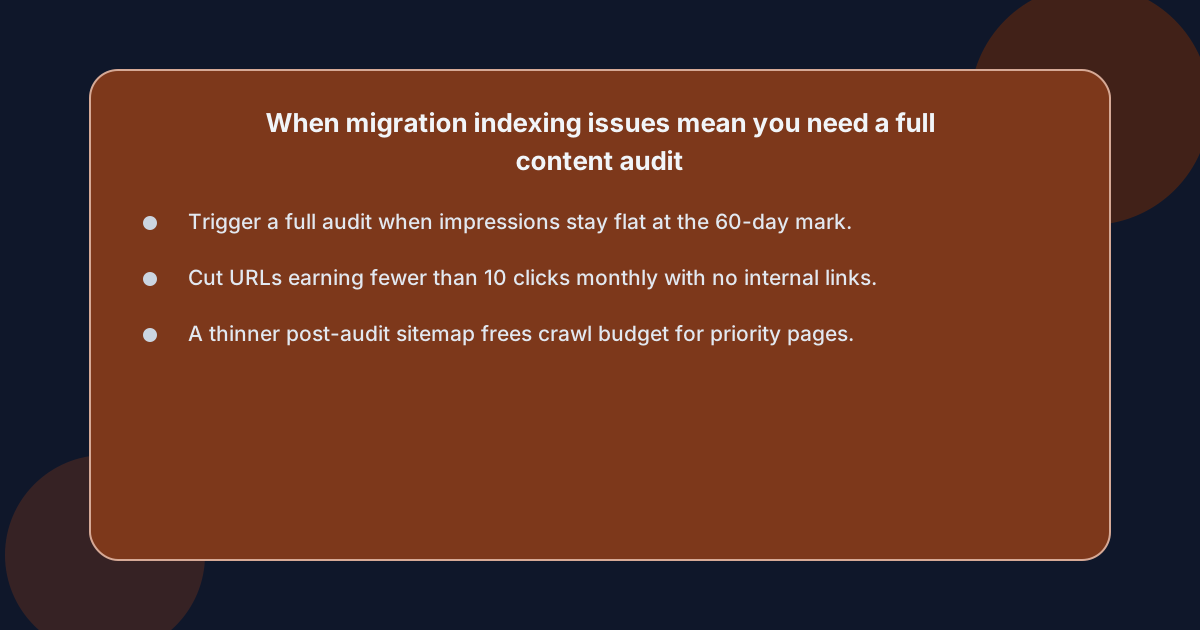 Migration indexing issues mean you need a full content audit when technical fixes are complete, the redirects are flat, the sitemap is clean, and impressions are still flat at the 60-day mark. At that point the bottleneck is no longer Google indexing after site migration — it is content quality, and the diagnostic question changes from "why is Google not crawling this" to "why would Google rank this."
A content audit answers that question systematically. The starting point is the same Search Console data the indexing checklist uses — queries, impressions, clicks, average position — combined with the published URLs from the new sitemap.
The audit then sorts each URL into four buckets:
- Keep and improve.
- Consolidate into a stronger page.
- Redirect to a closer match.
- Remove.
The decision rule is workload rather than rules of thumb: a URL that earns fewer than ten clicks per month and has no internal links pointing at it is not pulling its weight in the new site.
The reason this step belongs in the indexing playbook is that a successful audit often reduces the number of URLs Google has to crawl, which frees crawl budget for the URLs that matter. Sites that come out of an audit with a thinner, more focused sitemap tend to recover faster than sites that try to keep every old page alive.
Is hosting the new blog on a subdomain part of the problem?
If your team also moved the hosting plans during the migration, that decision can quietly undercut the recovery. The choice between hosting the new blog on a subdomain versus a subfolder is not neutral, and the SEO implications are well documented in the comparison of SEO content on subdomain vs subfolder.
Hosting the blog on a subdomain splits authority between two properties, which makes indexing recovery measurably slower than hosting it on a subfolder of the main domain. If the migration is the right moment to revisit that decision, it is the right moment to move the blog back to a subfolder before it has a chance to be indexed as a separate site.
Who actually does this work during a recovery?
During a recovery of this size, the work falls into four buckets, and they have to be staffed in parallel, not in sequence:
- The technical bucket — redirects, sitemaps, canonicals, Search Console — is usually owned by an engineer or a developer with SEO literacy.
- The content bucket — refreshing thin posts, rewriting thin content, deciding what to keep — is owned by a writer or an editor.
- The monitoring bucket — daily Search Console readings, weekly stakeholder updates — is owned by the SEO lead.
- The decision bucket — when to redirect a page, when to cut a section, when to call the recovery done — is owned by the same SEO lead who has to explain the timeline to the CMO.
The realistic options for staffing this are:
- An in-house hire.
- A freelancer.
- An agency retainer.
- A connected workflow that runs the planning, writing, and publishing on a calendar.
Each option has a different cost shape. An in-house hire is the most expensive and the slowest to start. A freelancer is cheaper but owns only one bucket. An agency owns three buckets but charges for all of them. A connected workflow owns the planning, writing, review, and publishing but expects the editorial decisions to stay in-house.
xt4b plans, writes, reviews and publishes posts to a blog on your own domain for a flat per-site, per-language monthly price, rather than a per-article quote. It is not for the team that needs someone to make the calls for them, and it is not for the team that already has a content engine running.
Frequently asked questions
How long does Google take to reindex after migration?
A same-domain CMS swap typically recovers in two to six weeks if the technical basics ship on day one. A true domain move, where the hostname itself changes, takes two to six months because trust signals have to transfer between properties. The window stretches longer when redirect maps contain loose mappings, sitemaps contain dead URLs, or the new property is not verified in Search Console.
Why is Google not indexing my site after a redesign?
Google is usually not indexing your site after a redesign because the redirect map is incomplete, the sitemap contains URLs that 404, or the new property is not yet verified in Search Console. These three issues account for the majority of post-redesign indexing stalls, and they are all technical fixes, not content fixes. Inspecting a few priority URLs in Search Console usually surfaces the cause within minutes.
Does sitemap indexing after a domain move really matter?
Yes. A clean, current sitemap is the single fastest signal Google has that a post tells you what is canonical. After a domain move, the new sitemap should be submitted within hours of launch, referenced from robots.txt, and contain only the URLs you want indexed. A sitemap full of redirected or removed URLs is worse than no sitemap at all, because it tells Google to crawl pages that no longer exist.
Should I use the URL Inspection tool to reindex my whole site?
No, the URL Inspection tool should only be used to request indexing for your priority URLs, typically the top fifty pages by old traffic. Requesting indexing for an entire sitemap is treated as a low-quality signal and Google throttles it. The correct pattern is to request indexing for priority pages, then watch Coverage climb naturally as Googlebot works through the sitemap.
When does an indexing problem become a content problem?
An indexing problem becomes a content problem when technical checks are complete and impressions are still flat at the 60-day mark. At that point the diagnostic question changes from "why is Google not crawling this" to "why would Google rank this." A structured SEO content audit sorts URLs into keep, consolidate, redirect, or remove, and a thinner, more focused sitemap tends to recover faster than the original one.