
How to Build an SEO Content Approval Workflow That Scales

A scalable content operation does not need slower publishing; it needs explicit decisions. A good SEO content approval workflow tells writers, reviewers, and publishers who owns each check and what happens when a draft fails, so quality improves without turning the editorial calendar into a queue.
Table of contents
- Key takeaways
- What Should an SEO Content Approval Workflow Cover?
- How Do You Structure Brief, Draft, and Final Approval Stages?
- What Does an Editorial QA Checklist Include?
- How Do You Prevent Approval Bottlenecks?
- How Do You Track Changes and Publishing Decisions?
- Frequently asked questions
- Sources
Key takeaways
- Give every draft one accountable owner, one defined set of checks, and a documented rule for what happens after a failed review.
- Separate brief approval, draft review, and final publishing approval so feedback does not arrive all at once.
- Treat editorial QA as a repeatable checklist covering search intent, accuracy, structure, links, metadata, and accessibility.
- Record decisions in a shared log with timestamps, owners, and revision status rather than burying them in chat threads.
- Automate repetitive checks, but keep the judgment calls — positioning, claims, and final sign-off — with people.
What Should an SEO Content Approval Workflow Cover?
An SEO content approval workflow covers five things: the target query, the brief, the review criteria, the decision rights, and the record of what changed. Without these elements, approval becomes personal judgment, and personal judgment does not scale across writers, editors, and publishers.
Start with the query, because every downstream check depends on it. A useful brief states the primary search, the intent behind it, the supporting questions the page must answer, and the pages it should link to. This is where search-driven content planning pays off: the plan already fixes the target before anyone opens a document.
The workflow should also define three roles, even if one person sometimes holds more than one:
- The brief owner, who confirms the query, intent, outline, and internal links before drafting begins.
- The reviewer, who checks the draft against the brief and a documented editorial standard.
- The publisher, who confirms that all required checks have passed and that the page meets technical requirements for publication.
Finally, define failure. A draft that misses a check should return with a named owner, a deadline, and a specific reason. The rule is simple: no failed check disappears without a decision.
How Do You Structure Brief, Draft, and Final Approval Stages?
The best content approval process separates three approval stages so that each one answers a different question: is this the right page to write, is this draft good enough, and is this page safe to publish. Collapsing them into one review usually produces late, expensive feedback.
Should a brief be approved before a writer starts?
Yes, because brief approval is the cheapest place to catch a wrong target. A brief should be approved when it identifies one primary query, names the search intent, sets three to six headings, and identifies the internal links the page needs.
For teams without a formal planning function, a small-team content workflow is a useful starting point, because it clarifies which checks can stay lightweight without losing the intent of the page.
What should draft review verify?
Draft review verifies substance and structure: does the article answer the query, do the claims hold up, are the headings coherent, and is the internal linking sensible? This is the stage where a content review process earns its keep, because it catches gaps while the text is still cheap to change.
A reviewer working against a structured brief can often mark each brief section as covered, partially covered, or missing. That produces fewer vague comments than a free-form review and makes the next revision predictable.
When should final approval happen?
Final approval happens only after every required check has passed and the remaining defects are cosmetic or non-blocking. It should cover publication mechanics: canonical URL, metadata, structured data, images, links, and the scheduled date.
If part of the production chain runs on a schedule, SEO content automation can handle the repeatable half — planning, metadata, and scheduled publishing — while leaving the decisions that represent your business with a person.
What Does an Editorial QA Checklist Include?
An editorial QA checklist should cover intent, factual support, structure, readability, links, metadata, accessibility, and publication readiness, with each item assigned an owner and a pass or fail result. The checklist exists to make review consistent, not to create more paperwork.
A practical checklist has eight parts:
- Intent match: the page delivers what the query implies and does not drift into a neighbouring topic.
- Factual support: every specific claim can be traced to a named source, with the source recorded.
- Outline compliance: the headings follow the approved brief and appear in a logical order.
- Readability: paragraphs are short, sentences are clear, and lists are used where parallel items appear.
- Internal links: links point to relevant pages that exist on the site, with natural anchor text.
- Metadata: the title and description reflect the page and the query without duplicating each other.
- Accessibility: images carry descriptive alternative text, and headings follow a proper hierarchy.
- Publication readiness: canonical URL, structured data, and the publishing date are confirmed.
Who checks each item?
Split the checklist by competence. The brief owner checks intent and outline, the writer checks factual support during drafting, the reviewer checks structure and readability, and the publisher checks metadata, links, and technical readiness.
What happens when a check fails?
Record the failure, name the owner, and set a revision date. A failed factual check blocks publication entirely. A failed metadata check can usually be fixed on the day, provided the change does not alter the page's angle.
How Do You Prevent Approval Bottlenecks?
You prevent approval bottlenecks by separating blocking and non-blocking checks, limiting review depth to the page's risk, and setting a response window for reviewers. Most queues form because every draft waits for the same person under the same rules.
Three changes usually have the largest effect:
- Set a response window. If a reviewer does not respond within a defined period, the draft escalates or moves to a backup reviewer. Without this rule, one unavailable person stalls the calendar.
- Review by risk. A straightforward explainer does not need the same scrutiny as a page making regulatory, financial, or health-related claims.
- Batch non-blocking corrections. Typographic fixes, link formatting, and minor metadata adjustments should not require a full re-review.
The decision rule worth writing down: if a defect does not change the page's meaning, it does not need a second reviewer.
Which parts are safe to automate?
Formatting checks, metadata generation, link validation, canonical verification, and publication scheduling are good automation candidates. Judgment calls — whether the argument is sound, whether the page is on-brand, whether a claim should be made at all — should not be.
If your team is still deciding where the line sits, what to automate in SEO covers the trade-offs. For teams publishing at volume, a hosted blog on your own domain removes some publication infrastructure work from the critical path.
How Do You Track Changes and Publishing Decisions?
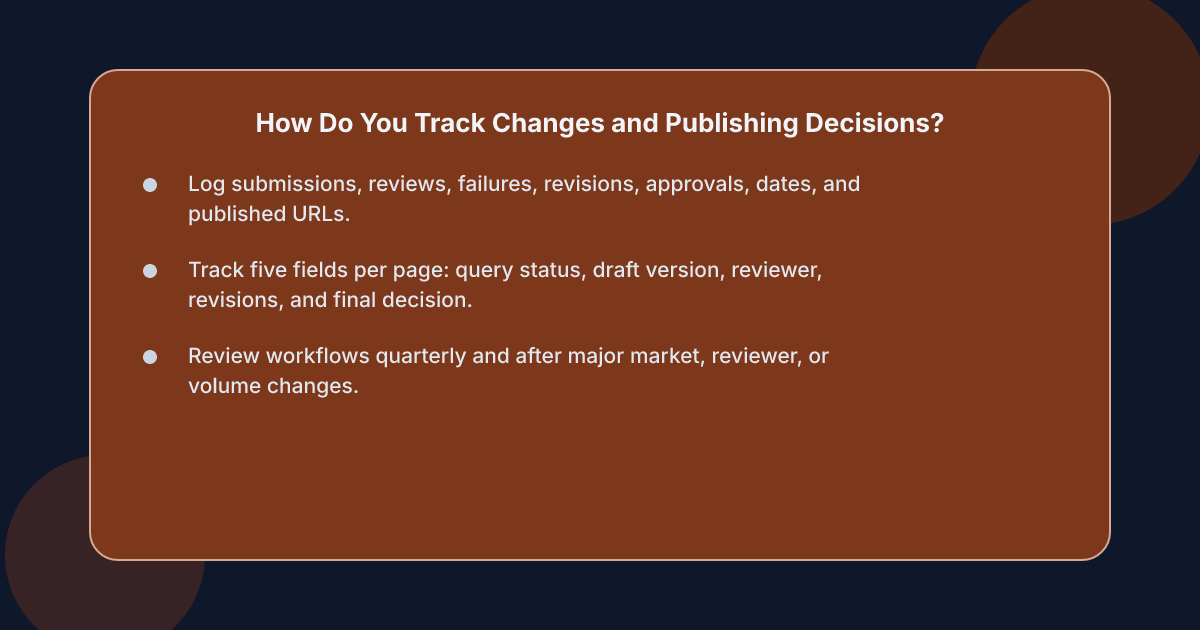 You track changes and publishing decisions with a shared decision log that records what was submitted, who reviewed it, what failed, what changed, and when the page was approved for publication. Without a log, teams lose context and repeat the same review comments across drafts.
Track five fields for every page:
- The primary query and brief status.
- The draft version and its date.
- The reviewer, the result, and the date.
- The revision request, the owner, and the resolution date.
- The final publishing decision and the published URL.
Version control matters here. Keep drafts in one place, name versions consistently, and never accept an approval for one version while a later revision is circulating.
Should automated publishing still require a final check?
Yes, and the reason should be stated plainly: a schedule decides when a page goes out, but a person still decides whether it is fit to go out. One option is an approval mode in which every post waits for release rather than appearing unannounced.
When the team is comparing manual review, freelance editing, and automated publishing routes, xt4b sits alongside them: it handles drafting, review passes, images, metadata, and publishing to a blog hosted on your own domain, with approval available per account. It is aimed at teams that already have a repeatable publishing rhythm, not at businesses that want a single standalone article. For readers comparing routes and implementation options, the account creation page explains how the service reads an existing site and sitemap before it plans content.
How often should the workflow itself be reviewed?
Review it quarterly and after any significant change — a new market, a new reviewer, or a shift in publishing volume. Look at where drafts stall, which checks fail most often, and which rules nobody follows. A rule that is always bypassed is not a rule; it is a bottleneck with paperwork.
Frequently asked questions
What is the difference between content approval and editorial review?
Content approval is the decision to release a specific draft, while editorial review is the evaluation that informs that decision. In practice, review is one stage inside a broader editorial approval workflow that also includes brief approval, revisions, and the final publication sign-off.
How many approval stages does a small team need?
Most teams need two: brief approval before drafting and a combined draft-and-publish check before release. Add a separate final approval stage when claims carry legal or reputational risk, or when reviewers and publishers are different people.
Who should have final approval over published content?
The publisher or content owner should, because they carry the business risk. Reviewers assess quality, but the final decision on whether a page represents the organisation belongs to a named person or role.
How do you audit an approval workflow?
Sample drafts from the past quarter and reconstruct their history: how many review rounds they took, how long each stage lasted, which checks failed most often, and whether published pages later required corrections. The slowest and most frequently bypassed stage is usually where the workflow needs work.
Sources
- Google Search Central: Creating helpful, reliable, people-first content
- Google Search Central: Spam policies
- Google Search Central: JavaScript SEO basics
- W3C Web Accessibility Initiative: Introduction to Web Accessibility
- W3C: Web Content Accessibility Guidelines (WCAG) 2.2
- Schema.org: Article
- Xt4b: What an SEO content plan should contain