
SEO for Product Pages: A Template for Higher-Intent Organic Traffic

A product page that lists specifications is not necessarily optimized for the searches that lead to buyers. Useful SEO for product pages connects what a customer searches with the information they need before taking action.
A strong product page matches commercial intent, answers product-specific questions, organizes details for rapid scanning, and earns relevant internal links. It also gives search engines a stable page with a clear URL, title, description, product data, and supporting media.
Table of contents
- Key takeaways
- What Is Product-Page SEO?
- Which Search Intent Should a Product Page Target?
- A Reusable SEO for Product Pages Template
- How Do You Find Product-Page Keywords?
- How Should You Structure a Product Page for Search?
- Which Product and Category Pages Should Receive Internal Links?
- How Do You Review Changes Without Losing Existing Traffic?
- Frequently asked questions
- Sources
Key takeaways
- Optimize each product page for one primary search intent rather than a cluster of loosely related terms.
- Build keyword research from product attributes, customer questions, existing site demand, and category language.
- Use a product page SEO template to define the query, intent, content scope, metadata, media, and internal-link targets before writing.
- Give category, product, guide, and supporting pages distinct roles so internal links reinforce rather than compete.
- Review title, description, heading, copy, media, and link changes before publishing and monitor performance after release.
What Is Product-Page SEO?
Product-page SEO is the process of organizing, writing, and optimizing a product page so it satisfies a specific search query and helps qualified shoppers make a purchase decision. It combines keyword targeting with clear product information, credible media, metadata, page experience, and internal linking.
The objective is not simply to mention a keyword in every heading. Search engines need evidence that the page represents the product named in the query, while shoppers need enough detail to determine whether it meets their requirements.
A useful product-page optimization includes:
- A product title that identifies the item and its principal variant.
- A concise description of the product’s purpose and relevant benefits.
- Specific attributes, specifications, materials, dimensions, compatibility, or usage information.
- Original images or other media that help shoppers evaluate the item.
- Clear information about availability, variants, delivery, returns, or purchase conditions where relevant.
- Descriptive image filenames, alternative text, and captions where appropriate.
- Links to relevant category pages and supporting content.
- A title tag, meta description, canonical URL, and structured data that accurately represent the page.
- A stable, crawlable URL with an understandable product path.
This work is different from writing a generic blog article. The product page must remain useful to a shopper even when every marketing sentence is removed. Search copy helps with discovery, but product evidence earns conversion.
For a broader workflow, an SEO content plan can help a team separate editorial posts from commercial landing pages. Product pages and blog articles may support the same journey, but they should not target the same query or perform the same job.
Which Search Intent Should a Product Page Target?
A product page should normally target commercial or transactional intent: the shopper is comparing options, evaluating a specific item, or preparing to buy. Informational language can support that decision, but the page itself should make the product and its purchase path unmistakable.
The intent behind a query can be recognized from its modifiers and expected result:
| Search intent | Typical query pattern | Best page type |
|---|---|---|
| Navigational | Brand or product-name searches | Product page or category page |
| Commercial investigation | “best,” “compare,” “for,” or feature-based searches | Category page, comparison page, or buying guide |
| Transactional | Product, model, brand, or “buy” searches | Product page |
| Informational | “what is,” “how does,” or problem-solving queries | Guide or educational article |
A search such as “waterproof hiking boots” may still be commercial even without the word “buy.” The results should help someone choose a product. By contrast, “how waterproof hiking boots work” is more likely to require an educational answer.
Should one product page target several related queries?
One product page can support several closely related queries, but it should have one dominant intent. Related terms should reinforce the same decision rather than pull the page toward different informational or transactional jobs.
For example, a page for a specific model of running shoes might target searches for that model, its category, and a closely related feature. It should not also target broad topics such as how to choose running shoes unless its content is specifically designed to answer that broader decision.
A practical test is to ask:
- Does every main section help evaluate this particular product?
- Would the same shopper plausibly need all of these terms?
- Does the page remain focused on one product or product family?
- Is another site page better suited to the broader topic?
If the answers reveal multiple goals, divide them across dedicated pages. Consolidating overlapping product pages may reduce duplication, but redirects and canonicalization should follow a deliberate review rather than a blanket rule.
What should a product page include for high-intent traffic?
A product page for high-intent traffic should place the essentials close to the top and make comparison easy. The first screen should establish what the item is, which variant is selected, what problem it solves, and what actions the shopper can take.
Below that opening section, the page should cover:
- The attributes that distinguish the item from alternatives.
- Practical dimensions, materials, compatibility, or performance details.
- Usage conditions and limitations that affect fit or suitability.
- Original visuals or video that demonstrate the product.
- Genuine customer feedback when available and moderated appropriately.
- Delivery, returns, warranty, and availability information.
- Links to related products, categories, and relevant buying guidance.
The exact order depends on the purchase. A technical product may require compatibility details before benefits. A low-consideration product may need benefits, price context, and essential specifications first. Avoid burying information that helps distinguish the item from alternatives.
A Reusable SEO for Product Pages Template
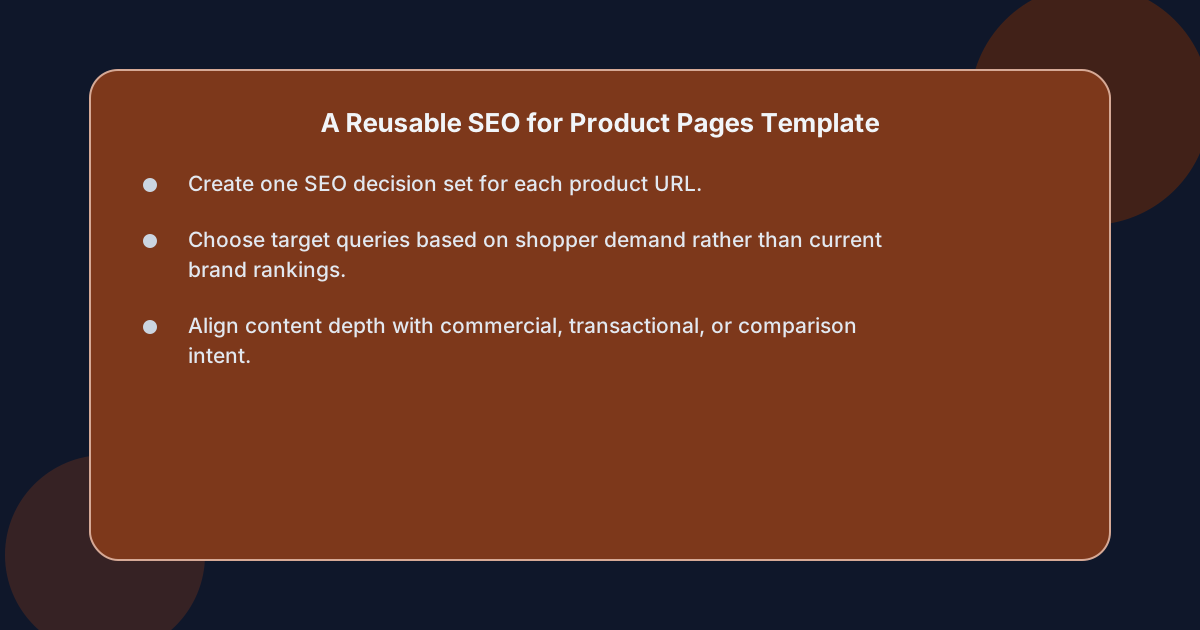 A reusable product page SEO template turns a page brief into eight decisions: target query, intent, supporting terms, page promise, content outline, metadata, media, and internal links. The template prevents copy from being written before the page’s commercial role is clear.
Use one row per product URL in your planning system. A practical version looks like this:
| Field | Decision to record |
|---|---|
| Product URL | The exact, canonical page being optimized |
| Primary query | One search the page should target |
| Search intent | Commercial, transactional, or another clearly defined intent |
| Supporting terms | Closely related product, category, attribute, and use-case terms |
| Page promise | What the shopper should understand after reading |
| Content outline | The sections and order |
| Title tag and meta description | Search-result copy aligned with the page promise |
| Product data | Attributes, specifications, variants, availability, and policies |
| Media plan | Required images, video, alt text, filenames, and captions |
| Internal-link plan | Source pages, destination pages, and anchor context |
| Review date | When the page should be checked for accuracy and performance |
Step 1: Define the query and intent
Write the target query as a shopper would type it. Do not replace the primary query with a branded phrase the site already ranks for. The goal is to identify demand the page can credibly satisfy.
Then define what the shopper needs at that moment. Are they looking for:
- A particular model?
- A specific size or color?
- A product that meets a technical requirement?
- A comparison between options?
- A replacement or compatible accessory?
- The best choice for a particular use case?
A page that targets “commercial” intent but offers only specifications may disappoint both the shopper and the search engine because it does not fully answer the decision behind the query.
Step 2: Set the page promise
The page promise is one sentence describing the value of the page for the shopper. It should identify the product and the information that makes it worth evaluating.
For example:
This page helps buyers compare the product’s capacity, materials, dimensions, compatible devices, and operating limits before choosing the right variant.
The promise prevents unnecessary sections and gives the writer, designer, and reviewer a shared standard.
Step 3: Outline the decision journey
An outline for an ecommerce product page should follow the shopper’s reasoning rather than the organization of the company. Start with identity and fit, move through proof and constraints, then end with purchase and related-product information.
A common sequence is:
- Product name, selected variant, and concise value proposition.
- Primary benefits tied to verified product attributes.
- Specifications or technical details.
- Materials, dimensions, compatibility, or performance evidence.
- Images, video, and demonstration content.
- Availability, delivery, returns, and warranty information.
- Reviews and questions.
- Related products and supporting guides.
Do not force every page into this exact structure. A furniture product may need dimensions before benefits, while a skincare product may need ingredients, usage instructions, and suitability details earlier.
Step 4: Write metadata and on-page elements
The title tag should identify the product or category and remain distinct from competing URLs. It should match the page’s actual content and avoid unsupported superlatives.
A useful pattern is:
[Product or category] | [Differentiating attribute or use case]
The meta description should summarize the decision-relevant content and give a reason to click. It is not a substitute for a compelling product description, but it helps set expectations.
Headings should describe the information beneath them. “Details” is weak; “Materials and construction” is more useful. Keep one main product heading and use subordinate headings to create a scannable path through the evidence.
Step 5: Plan media and internal links
Media planning should happen with copy planning, not after publication. Specify which image demonstrates each important attribute and whether a diagram, video, or additional view would reduce uncertainty.
The internal-link plan should identify both incoming and outgoing links. Every link should have a context. Linking to a size guide with “check the size chart” is more useful than inserting an uninformative phrase in a paragraph.
A product-page SEO checklist should also include mobile display, image weight, heading order, link behavior, structured-data accuracy, and accessibility of controls. These technical checks support both usability and search performance.
How Do You Find Product-Page Keywords?
Find product-page keywords by combining product language, shopper questions, search demand, existing site performance, and category structure. The strongest keyword is usually the intersection of genuine demand and a page that can offer specific, credible answers.
Start with the product itself. List its official name, category, model, variants, attributes, materials, compatible items, intended uses, and common problems it solves. This creates the raw vocabulary before you apply search data.
Which product attributes should become keyword themes?
Attributes become useful keyword themes when buyers use them to distinguish products. Depending on the category, these might include capacity, compatibility, material, size, power, storage, color, season, performance level, or intended application.
The important distinction is between an attribute and a phrase with demonstrated demand. Search data, internal site queries, customer-service records, product reviews, and marketplace questions can help establish which combinations people actually type.
For a category such as office chairs, the generic term may be broad. More decision-oriented themes could involve ergonomic use, material, size, adjustment, or intended environment. The page should target the theme that its specific product can substantiate.
How should product page keyword research work?
Effective product page keyword research follows a repeatable sequence:
- Define the product, category, and purchase stage.
- Collect terms from search tools and analytics.
- Review autocomplete suggestions and related searches.
- Mine product reviews, support questions, and sales conversations.
- Group terms by intent and product attribute.
- Map each group to an existing page.
- Choose one primary query for each product URL.
- Define supporting terms that fit naturally.
- Assign a content gap, revision, or consolidation action.
- Recheck the map after publication and as the catalog changes.
Existing impressions can be especially revealing. A product page may already receive impressions for a phrase but not earn a click because its title is weak, its intent is unclear, or another page appears more relevant. An audit of SEO content performance can help separate those problems from genuine demand gaps.
Should brand and non-brand terms be mixed?
Brand and non-brand terms serve different jobs. A product page should clearly identify branded products and variants, but its primary opportunity may lie in non-brand discovery queries that describe the need, attribute, or use case.
Do not target a popular category term on every product page. That creates competition between your own URLs and weakens their relevance. A category page may own the broad term, while individual product pages target more specific demand.
For example:
- Category page: “waterproof hiking boots”
- Product page: “specific waterproof hiking boot model”
- Guide: “how waterproof hiking boots work”
Each page can support the journey without trying to perform the same task.
What should the keyword map include?
The keyword map should connect a query to one preferred URL and identify supporting evidence. At minimum, record the query, intent, preferred page, current ranking page if any, content gap, recommended action, and review date.
Useful actions include:
- Create a dedicated product page.
- Strengthify an existing product page.
- Update the title and description.
- Add a missing attribute section.
- Replace an image or video.
- Clarify variant information.
- Add or adjust an internal link.
- Consolidate overlapping URLs.
- Redirect an outdated URL.
- Leave the page alone because another URL is a better fit.
That final option matters. Not every query belongs on every page, and restraint protects both user experience and crawl efficiency.
How Should You Structure a Product Page for Search?
Structure a product page around one dominant query, a scannable decision journey, and verified product evidence. Search engines need to understand the page’s subject, while shoppers need to extract the facts that determine fit, suitability, and purchase readiness.
How should the main product information appear?
The opening area should establish the product’s identity and relevance without forcing the shopper to assemble the answer from scattered components. Include the product name, active variant, concise description, key attributes, price context, availability, and purchase action.
Avoid introductory copy that repeats generic brand language without describing the item. If two pages say that they offer quality, convenience, and versatility but neither explains the product, the wording adds little decision value.
Which specification details should appear?
Include every specification that materially affects purchase decisions, then present it in a format that supports comparison. Specifications should also match the selected variant and the visible product imagery.
Common specification groups include:
- Dimensions and weight.
- Materials and composition.
- Capacity and power.
- Compatibility and supported systems.
- Color and finish.
- Included components.
- Maintenance requirements.
- Operating conditions.
- Warranty or care limitations.
Do not publish a generic specification block for every product if some values do not apply. Removing irrelevant fields makes the remaining evidence easier to trust.
How should images and video support the query?
Images and video should answer questions that text alone cannot resolve. Show the item from relevant angles, demonstrate scale, expose construction details, illustrate use, and show included components.
For each essential image, consider:
- A descriptive filename based on the product and view.
- Concise alternative text describing the visible subject and relevant function.
- A caption that adds context rather than repeating the alt text.
- Sufficient resolution for the display context.
- Consistent crops and visual identity across the catalog.
- Clear product identification in thumbnails.
- Mobile-friendly loading and display.
Avoid keyword-stuffed filenames and alt text. Accessibility and relevance matter more than inserting a query into every media attribute.
Structured data can also help describe product information accurately, but markup must reflect visible or substantiated content. Never use product schema to imply ratings, prices, availability, or specifications that do not appear on the page.
How should product and variant information be handled?
Variant pages need deliberate treatment. Decide whether each meaningful variant has its own indexable URL or whether variants share one canonical product page. The choice should reflect meaningful search demand, distinct content, product stability, and internal consistency.
Prevent duplicate combinations from creating a large set of near-identical pages. Select canonical URLs consistently, link related variants appropriately, and ensure prices, availability, images, and specifications remain aligned with the selected variant.
What does a complete product-page SEO checklist contain?
A complete product-page SEO checklist contains commercial targeting, content quality, technical integrity, media, and measurement:
- One clearly defined primary query and intent.
- Product-specific title, introduction, benefits, and specifications.
- Visible product identity and selected variant.
- Original, useful images or video.
- Descriptive filenames, alt text, and captions where appropriate.
- Accurate price, availability, delivery, returns, and warranty information.
- Clean heading hierarchy.
- Distinct title tag and meta description.
- Canonical and indexable directives that agree with the intended URL.
- Valid structured data matching visible information.
- Relevant incoming and outgoing internal links.
- Mobile usability and accessible controls.
- A method for monitoring queries, clicks, conversion behavior, and errors.
Review the page against actual shopper tasks rather than a generic word-count target. A 600-word page that answers every decision-relevant question may be more useful than 2,000 words of repeated marketing language.
Which Product and Category Pages Should Receive Internal Links?
Product and category pages should receive internal links based on their roles in the buyer journey, not on page authority alone. Relevant links help crawlers discover pages, distribute context, and guide shoppers toward relevant products or information.
Use four link types:
- Category links point from a product, guide, or editorial article to the relevant collection.
- Product links point from category and editorial pages to a specific item.
- Supporting links point to useful information such as sizing, compatibility, setup, care, or buying guidance.
- Alternative links connect comparable products when the shopper is deciding between options.
Every link should have a descriptive anchor and a clear reason to exist.
How should internal-link relevance be decided?
Start with shopper intent. A hiking-boot product can link to a waterproof-footwear category, a size guide, a care guide, and comparable trail boots. It should not link to every related product in the catalog.
Use the following checks:
- Does the destination serve the same decision?
- Is the link visible in the page content or navigation?
- Does the anchor describe the destination accurately?
- Does the link resolve to the intended canonical page?
- Could the two pages create competing or contradictory signals?
- Does the placement help a reader continue the task?
Product page internal linking is most effective when links represent actual next steps. “Compare with another model,” “check compatibility,” and “view the size guide” explain the next action. “Click here” does not.
Which pages should link to a product page?
A product page should receive links from pages that establish relevance, not only from pages with the highest traffic. Appropriate sources may include:
- The parent category page.
- A relevant buying guide.
- A comparison article.
- A use-case or problem-solving article.
- A related product page where the relationship is genuine.
- A commercial landing page for the same product line.
The source page should support the product page’s topic and naturally introduce the item. A campaign landing page should not send every visitor to every product in the catalog.
How should links between product pages be used?
Product-to-product links should help comparison without becoming a decorative grid. Consider linking products by:
- Shared use case.
- Comparable specification.
- Compatible system.
- Different price or size option.
- Better fit for a particular requirement.
- Complementary use rather than direct substitution.
For a category page, keep the hierarchy obvious: categories link to products, while products link back to the appropriate category and to genuinely related products. Avoid deep chains where every page points only to another product.
What role does an editorial content plan play?
For ecommerce teams, an editorial plan can help organize supporting articles around the products and categories readers are considering. An article about choosing a product should link to the relevant category; a technical guide may link to a specific compatible item.
This creates a useful sequence:
Informational article → category → product → supporting product information
The sequence should reflect actual relationships, not a rule that every article must link to a product. Editorial pages should first satisfy the reader’s question. Commercial links become stronger when they arise from the answer.
How Do You Review Changes Without Losing Existing Traffic?
Review product-page changes with a controlled process that protects current relevance, confirms the intended improvement, and measures outcomes after release. Because product pages can carry brand, category, and long-tail demand simultaneously, a change that appears small may affect several keyword groups.
Which changes require a pre-publication review?
Pre-publication review should cover changes to the URL, title tag, meta description, primary heading, product name, variants, price, availability, media, structured data, canonical directive, robots directive, and internal links.
Also review any copy change that removes a high-value attribute or alters the commercial intent of the page. Terms that receive impressions are useful warning signals even when a page does not rank on the first page.
How should a product-page change brief work?
Create a brief for every meaningful revision. It should state:
- The URL affected.
- The reason for the change.
- The target query and intent.
- Current performance.
- Proposed content, metadata, media, or technical changes.
- Links to add, remove, or alter.
- The reviewer and publication date.
- Success measures.
- The rollback condition.
The brief reduces the risk of optimizing one element while unintentionally weakening another.
What should be checked after publication?
After publication, confirm that the page is crawlable, the canonical points to the intended URL, structured data validates, images display correctly, variants remain synchronized, and links resolve as intended.
Then monitor:
- Indexing and crawl issues.
- Impressions and clicks by query.
- Average position for the primary query.
- Click-through rate for the target page.
- Conversion behavior.
- Product availability and error states.
- Page experience signals relevant to the actual template.
- Internal-link clicks and assisted conversions.
Changes to product pages can affect discovery before they affect rankings. Avoid judging a revision from a very short observation window unless there is a concrete technical or commercial error that requires immediate correction.
When should an old product page be consolidated?
Consolidate pages when they serve substantially the same intent, contain materially overlapping content, and can be replaced by a stronger canonical destination. This can help reduce duplicated signals, but it can also remove useful URLs and disrupt links.
Before consolidating, compare:
- Query demand and page purpose.
- Unique specifications and supporting content.
- Incoming links and external references.
- Conversion contribution.
- Product availability.
- Seasonal or variant demand.
- The relevance of the proposed replacement.
Keep a redirect only when the replacement is genuinely equivalent and the old URL has meaningful value. A redirect is not a substitute for deciding which page should own the query.
How should teams distinguish content problems from technical problems?
A content problem occurs when the page addresses the query poorly: vague positioning, missing attributes, weak hierarchy, irrelevant sections, or a mismatch between the query and the product. A technical problem affects discovery or rendering: blocked resources, incorrect canonicalization, duplicate URLs, broken templates, missing product information, or malformed structured data.
Use evidence to separate them. If a page is not indexed, begin with crawl and canonical signals. If it is indexed but receives few impressions, revisit the query and result relevance. If impressions are healthy but clicks are weak, inspect the title, description, positioning, and competing results.
Frequently asked questions
How many keywords should a product page target?
A product page should have one primary keyword and a limited set of closely related supporting terms that describe the same product and purchase decision. If many keywords require different intents or separate products, they usually belong on different pages.
Should product descriptions include keywords?
Product descriptions should include product terminology where it helps shoppers and search engines understand the item, but they should read as useful commercial copy. Prioritize accurate attributes, clear benefits, and natural language over repetition.
Is a product page better than a blog post for commercial queries?
A product page is usually better when the query refers to a specific product, model, or purchase requirement because it can provide direct specifications, availability, variants, and purchase information. A blog post is generally more appropriate for educational queries that require explanation before product selection.
How often should product pages be updated?
Update a product page when its product information becomes inaccurate, when customer questions reveal missing details, when media no longer represents the item, or when search and conversion data justify a substantial revision. Routine reviews should be scheduled based on catalog change and performance rather than a fixed universal interval.
How many internal links should a product page have?
There is no universal number. Include enough links to guide shoppers to relevant categories, supporting information, and comparable products without creating an indiscriminate link grid. Relevance, placement, and descriptive anchor text matter more than a fixed count.