
How to update old blog posts for SEO: a 2026 refresh checklist that actually moves rankings

The fastest ranking win on most blogs is not a new post. It is a one-hour edit to a post that already has impressions, already has internal links pointing at it, and is six months out of date. New sites need cadence; established sites need an update loop, and the difference between the two is where compounding actually happens.
If you have ever asked how to update old blog posts for SEO without burning rankings, the answer is less "rewrite everything" and more "treat the existing post like an asset you inherited, audit it, and change the parts that are demonstrably wrong, thin, or stale."
Table of contents
- Key takeaways
- When to update an old SEO post instead of writing a new one
- How to find the posts that are worth refreshing first
- What to change in an old post — and what to leave alone
- How to refresh a post without cannibalising the one ranking above it
- How to decide between refresh, rewrite and retire
- The 30-minute update checklist: title, intro, entities, internal links, date
- How to measure whether the refresh actually moved the needle
- A simple update cadence to keep old posts from going stale again
- Frequently asked questions
- Sources
Key takeaways
- A refresh is worth doing when a post still gets impressions but is losing clicks, when its facts are out of date, or when the search results it competes against have moved ahead of it — not on a calendar date.
- Decide refresh vs. rewrite vs. retire on three questions: is the intent still right, is the post under-served by the current SERP, and is the URL earning its keep.
- The 30-minute edit that wins most refreshes is the title, the intro, the entities, the internal links, and the visible date — leave word count, URL, and tone alone unless they are broken.
- Cannibalisation kills more updates than thin content does; re-check the query, the intent and the page ranking above yours before you change a heading.
- Measure a refresh on a 60–90 day window with stable Search Console data, not on week-one wobble, and re-prioritise when impressions climb but clicks do not.
When to update an old SEO post instead of writing a new one
Update an old post when it has been published for at least six months, still receives impressions in Search Console, but is losing clicks, ranking, or both — and the search results it competes against have moved ahead.
The refresh works because the URL already has authority, links and index history. A new post has to earn them from zero.
A refresh is not a rewrite. A rewrite keeps the URL but replaces most of the prose, which forfeits the existing performance signal. A refresh changes the parts that are demonstrably wrong — outdated facts, a title that no longer matches intent, missing internal links, a stale date — and leaves the URL, the structure and the parts that are still ranking alone.
For a content lead with 80+ posts, the reflex should be: refresh first, rewrite only when the refresh cannot close it, and retire only when neither works.
How do you know a post is decaying versus just seasonal?
A post is decaying when its 12-month trend of impressions is flat or falling while the topic itself is not seasonal — and when its average position is drifting downwards even though no competitor has overtaken it on a single dramatic day.
Seasonality looks like a clean annual dip and recovery. Decay looks like a slow slope that does not snap back.
Compare the last 90 days against the same 90 days a year earlier, on the same page, on the same query filter in Search Console. If the page was earning the same impressions a year ago and is earning materially fewer now, with no seasonal reason, the post is decaying and a refresh is justified.
If the trend is flat and the topic genuinely is seasonal, leave the post alone and re-check in a quarter.
How to find the posts that are worth refreshing first
Prioritise the posts that already have authority — impressions, inbound links, internal links — and are losing ground on a query you still want to own.
The fastest way to build that list is to combine four signals from data you already have: Search Console impressions, average position, click-through rate, and the publication date.
A post that has 1,000 impressions a month at an average position of 12 is a better refresh candidate than one that has 50 impressions at position 4, because the first is closer to the page-one threshold and has more traffic to recover.
A simple triage works on most blogs. Pull the last 12 months of Search Console per page, sort by impressions, and look for the pages that satisfy all four of these:
- At least 500 monthly impressions, so the refresh has traffic to win back.
- An average position between 7 and 20, so a few ranking gains translate into real clicks.
- A click-through rate below the query's expected range, which signals a weak title or meta description.
- A publication or last-update date older than 12 months, so the post is genuinely due for review.
Pages that miss any one of those criteria are not urgent. They can sit on a quarterly review list and be touched when the high-value queue is empty.
The point of the triage is not to find every decaying post. It is to spend the first ten refresh hours on the posts that will return the most traffic per hour spent.
What data should you pull before you touch a post?
Pull four numbers per post before you change anything: the 90-day impressions, the 90-day clicks, the average position for the target query, and the page's publication date.
Add the post's word count and the date it was last meaningfully updated, because a 1,200-word post from 2022 and a 2,400-word post from last quarter are not the same kind of refresh.
With those six numbers in hand, you can decide whether the post is under-performing its position (a title or meta problem), under-performing its topic (a thin-content problem), or simply out of date (a refresh-on-its-own problem).
A practical guide to spotting thin SEO content covers the second case in more depth and is worth a read before you commit to a heavy edit.
What to change in an old post — and what to leave alone
Change the five things that decide ranking and click-through — the title, the intro, the entities, the internal links, and the visible date — and leave everything else alone unless it is broken.
Most refreshes fail because the editor changes too much: word count goes up, the URL moves, the tone shifts, and the post that was ranking for "best X for Y" stops ranking because it is now an essay about "how to think about X".
The rule for what to change is the same as the rule for what to keep: if a change cannot be justified by a measurable problem in the data or in the current search results, it is decoration.
A refresh should look boring from a process point of view. Five surgical edits, each one tied to a specific signal, almost always outperform a full rewrite for traffic, and they preserve the existing ranking signal that the URL has earned.
Which five things actually move the needle on a refresh?
The five edits that move rankings on a refresh, in the order they should be made, are the title, the intro, the entities, the internal links, and the visible date.
- The title is the click-through lever, and a click-through lift at the same position is one of the cleanest ranking signals a publisher controls.
- The entities — the named things the post covers, the terms it uses for them, and the structured way it introduces them — are what modern search uses to judge whether the page is actually about the query.
- The internal links decide whether it sits in a cluster that earns authority.
- The visible date, set honestly to the day the refresh was reviewed, is what a searcher uses to decide whether to click at all.
Everything else — word count, sub-heading count, image count, paragraph length, tone — should be touched only when it is broken.
A 900-word post that ranks at position 6 does not need to become a 1,800-word post. A 2,400-word post that ranks at position 14 does not need to be cut. The data, not the playbook, decides.
How to refresh a post without cannibalising the one ranking above it
You avoid cannibalisation by treating the query, the intent, and the page above yours as fixed inputs — and only changing what the post says, not what the post is for.
Cannibalisation happens when two pages on the same site compete for the same query, and the refresh version of the older page steals impressions from a newer one that has already started to rank.
The fix is to re-check the search results before you change a heading, and to make the refresh tighter, not broader, than what it is replacing.
Cannibalisation is the silent killer of refresh programmes. A team will spend two hours improving a post, watch its impressions climb for two weeks, and then notice that the new post they published last quarter has dropped to page two.
The cause is rarely the rewrite and almost always the intent. The refreshed post is now answering a more general question than the page above it, and the search results have reorganised around the more specific page.
If the post you are refreshing and the post above it are both winning the same query, the refresh needs to go narrower, not wider, until the two posts own different intents.
What is the safest way to refresh a post that ranks on page two?
The safest refresh on a page-two post is to tighten the title and the intro to the exact intent the post already serves, and to leave the body alone.
A page-two post is almost always under-performing its content, not its topic, which means the ranking signal is mostly fine and the click signal is weak. Tighten the title so it matches the query's phrasing, tighten the intro so the first sentence answers the query, and resist the urge to add a new section that the post did not need.
A narrow refresh on a page-two post is also the case where cannibalisation risk is highest, because there is often a newer post sitting just above you on the same query.
A guide to SEO content cannibalization and how to find and fix it is the right read at this stage.
How to decide between refresh, rewrite and retire
Decide with three questions, in this order:
- Is the intent of the query still the intent of the page?
- Is the post under-served by the current SERP?
- Is the URL earning its keep?
If the answer to all three is yes, refresh. If the intent or the SERP has moved beyond what the post can answer, rewrite on the same URL. If the URL is not earning anything and the topic is no longer one your site should own, retire.
The decision tree is short on purpose. Three questions means three outcomes, and the hard part is usually answering the second one honestly.
A query that was a clear informational question in 2021 may now return a mix of product pages, comparison posts, and AI overviews, and the right answer for the post is not always to keep climbing. Sometimes the right move is to retire the post, set it to noindex, and let the authority flow to a page that does match the new SERP.
When is a rewrite worth the risk?
A rewrite is worth the risk when the query intent has moved — for example, from "what is X" to "X vs Y" — and the current post cannot answer the new intent without changing most of its prose.
A rewrite is also worth it when the existing post is thin on the topic, not just thin on the page, and a refresh would mean replacing more than half the paragraphs anyway.
In both cases, keep the URL: a rewrite on the same URL preserves most of the authority signal that the page has earned, and that signal is the single most expensive thing on a B2B blog to rebuild. The decision to keep the URL is what separates a recovery from a reset.
The 30-minute update checklist: title, intro, entities, internal links, date
A focused 30-minute refresh on a single post touches five things, in this order: the title, the first two sentences of the intro, the named entities, the internal links, and the visible date.
The checklist is short on purpose — every minute spent outside those five edits is a minute spent on a change that cannot be justified by the data.
The order matters:
- The title is the click-through lever and is the cheapest edit to test.
- The intro is the relevance lever and is the second cheapest.
- The entities are what search engines use to confirm what the post is about, and that edit is only useful once the title and the intro have set the intent.
- The internal links come fourth, because the cluster a post sits in decides how the refreshed page is weighted against its peers.
- The visible date comes last, because a date is a searcher signal and a dishonest one will cost more clicks than it wins.
Which sections of an old post should you never rewrite?
You should never rewrite the URL, the slug, or the body of a post that is still ranking unless the body is demonstrably wrong on a verifiable point.
The URL has history. Changing it is a redirect, and a redirect costs you a share of the authority the old URL had earned. The slug has the same problem at a smaller scale.
The body, even when it reads as slightly old, is part of the signal the page is sending — and a rewrite that "modernises" the tone, the examples or the structure will often cost you the position the post held. Refresh what is broken. Leave what is ranking.
A practical rule for internal links is to add two and remove none. Add a link from the refreshed post to the pillar page it sits beneath, and add a link from a sibling post to the refreshed page, using anchor text that names the target query.
A guide to internal linking for pillar pages in SEO covers the cluster logic in more depth. Both edits are cheap, both are measurable, and both are the kind of change a refresh is for.
How to measure whether the refresh actually moved the needle
Measure a refresh on a 60–90 day window of stable Search Console data, with the post's target query filter held constant from the day the refresh went live.
A refresh that improves average position and click-through rate at the same impressions has worked. A refresh that improves one and not the other has changed something you cannot yet see, and is worth a second, smaller edit rather than another full pass.
The window matters because Search Console data is noisy in the first two weeks after any change. Search engines re-crawl, re-rank, and re-test the page, and small position wobbles during that period are not signals.
The right way to read a refresh is to capture the post's 28-day window before the change, then the 28-day window 60 days after, on the target query, and compare them on the same axes: impressions, average position, and click-through rate.
- If all three move in the right direction, the refresh worked.
- If two of three move, the third needs another targeted edit.
- If none of three move, the refresh did not address the real problem and the post should go back into the triage queue.
Which metric tells you the refresh worked?
The metric that tells you the refresh worked is the click-through rate at a stable average position.
- A click-through lift at the same position means the title and the intro are doing the work.
- A position lift at a stable click-through rate means the body and the entities are doing the work.
- A lift on both axes is what a successful refresh looks like; a lift on neither means the change was decoration and the post needs a different kind of edit.
A practical framework for measuring SEO content ROI covers how to attribute the lift to the refresh, not to the rest of the site's noise.
A second metric worth watching is the post's share of impressions on the target query versus the cluster it sits in. If the refreshed post's share is climbing while the cluster's overall impressions are flat, the refresh is taking share from the post above it — which is the goal.
If the refreshed post's share is climbing because the cluster is also climbing, the refresh rode a tailwind and the win is smaller than it looks. Both are wins; only one is a refresh win.
A simple update cadence to keep old posts from going stale again
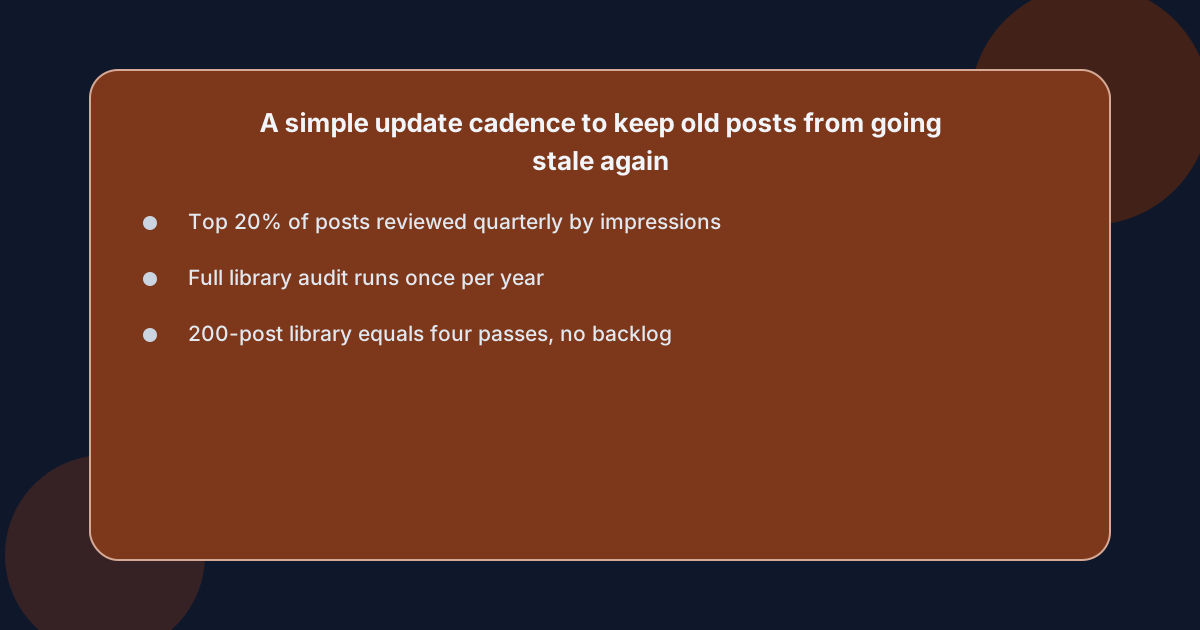 Run a quarterly review of the top 20% of your posts by impressions, and a full audit of the whole library once a year.
The quarterly review is cheap — an hour per post, title and date only — and is what catches the small drifts before they become losses.
The full audit is what catches the structural problems a quarterly review cannot see: posts that have been overtaken by the SERP, posts whose intent has moved, posts whose clusters no longer exist.
The cadence is short on purpose. Quarterly means four passes a year, which is enough to touch every post in a 200-post library once without anyone owning a backlog.
The monthly review is a trap: monthly is too frequent for posts that age on a six-month cycle, and the cost of reviewing a post every 30 days is the same as the cost of reviewing it every 90 days — except you do it three times as often.
Quarterly is the rhythm that matches how the search results actually move, and it is the rhythm that keeps the refresh queue from becoming the only thing the team works on.
Who actually owns the update loop on a small content team?
On a small content team, the update loop is owned by the same person who owns the publishing calendar, because the queue for new posts and the queue for old posts are the same person thinking about the same data.
A single owner who can run the quarterly review, the 30-minute edit, and the 60-day measurement on the same posts is what makes a refresh programme work. On larger teams, the loop is shared between an editor who runs the audit and a writer who runs the edits, with a single source of truth — usually a content plan with a "last reviewed" date on every entry — so neither side is guessing what the other has touched.
This is also the moment when the choice between routes becomes concrete. The owner can be a freelancer on a per-post retainer, an in-house writer who owns the calendar, an agency that handles the plan and the publish, or an automated pipeline that handles the plan, the brief and the publish on the same domain, with a review gate that belongs to the team.
The pipeline option — the kind of service that maintains the editorial calendar, plans posts against missing queries, and publishes to your own blog on the days you choose — fits the small-team owner well, because it keeps the loop on the same system the new posts run on.
It is not for teams that want to write every post themselves, but for teams whose bottleneck is the planning and publishing queue rather than the writing itself, it removes that queue as a problem.
A free scan of your own site is a usual first step before deciding, and the account page is where you sign up.
Frequently asked questions
How often should you refresh old blog posts for SEO in 2026?
Quarterly for the top 20% of posts by impressions, and once a year for the rest of the library. Quarterly catches small drifts on the posts that earn the traffic, and the annual audit catches the posts that have been overtaken by the SERP or whose clusters no longer exist. A monthly cadence is too frequent for posts that age on a six-month cycle, and a yearly cadence is too slow for posts that earn most of the site's clicks.
What is the difference between a content refresh and a rewrite?
A content refresh changes the parts that are demonstrably wrong — title, intro, entities, internal links, date — and leaves the URL, the structure and the parts that are still ranking alone. A rewrite keeps the URL but replaces most of the prose, which forfeits most of the existing ranking signal. Refresh first; rewrite only when the refresh cannot close the gap; retire only when neither works.
How do you prioritize blog posts to update on a large library?
Prioritise by impressions, average position, click-through rate and publication date. Posts with at least 500 monthly impressions, an average position between 7 and 20, a click-through rate below the query's expected range, and a publication date older than 12 months are the high-value queue. Posts that miss any one of those four go on the quarterly review list, not the immediate queue.
Can updating old posts hurt rankings?
Yes, when the refresh changes the intent, the URL or the body of a post that is still ranking, and when two posts on the same site end up competing for the same query. The fix is to re-check the query, the intent and the page ranking above yours before you change a heading, and to make the refresh tighter, not broader, than what it is replacing.
What is content decay and how do you recover from it?
Content decay is the slow loss of impressions and clicks on a post whose topic is not seasonal, caused by the SERP moving ahead of the post. You recover from it with a refresh — title, intro, entities, internal links, date — and you measure the recovery on a 60–90 day window of stable Search Console data, not on week-one wobble.