
SEO content audit checklist for small sites: decide what to keep, update or delete

Most small sites do not need another batch of new posts — they need fewer, better, fresher ones. The fastest wins come from auditing what is already there before commissioning anything new, and the audit is the part nobody writes a checklist for. This SEO content audit checklist for small sites is built for a one-person marketing lead sitting on a 50-page B2B blog, with roughly a month of working days and a suspicion that half the archive is decaying.
Table of contents
- Key takeaways
- Why a content audit pays back faster than another batch of new posts
- How to pull every URL, query and click into one inventory
- How to score each post: traffic, intent fit, freshness and cannibalisation
- Which posts to keep, which to update, and which to delete — and how to tell
- How to consolidate near-duplicates without losing the rankings either page earned
- A 30-day audit calendar a one-person team can actually finish
- Frequently asked questions
- Sources
Key takeaways
- A content audit beats new production in the first 30 days because the impressions, links and indexing signals are already earned — they only need to be redirected.
- The audit needs a single inventory: every URL, the query it earned, the clicks and impressions it received, and the date it last changed.
- Score each post on four axes (traffic, intent fit, freshness, cannibalisation) and the keep/update/consolidate/delete decision writes itself.
- Cannibalisation is fixed by merging two URLs into one, not by deleting the weaker one — the merged URL keeps the combined signal.
- A realistic cadence for a small site is one full audit every six months, with a lighter "stale post" sweep at the three-month mark.
Why a content audit pays back faster than another batch of new posts
A content audit pays back faster than new production because every URL in the archive already has crawl history, some inbound links, and a position in Google's index. That is value that takes a new post six to twelve months to earn. New content also has to compete with the existing archive for crawl budget and for the same queries, so adding more posts to a bloated site usually lowers the average performance of every page rather than raising it.
An audit converts sunk effort into live traffic by fixing what is already there: a refreshed date, a tighter answer to the query, a redirect that stops two pages from fighting each other.
The case is strongest when the archive is older than 18 months, the brand has shifted its offer at least once since the posts were written, and the Search Console graph is flat or drifting. None of those are technical failures — they are inventory problems, and inventory problems are cheaper to fix than production problems.
For a 50-page B2B SaaS blog, the realistic ceiling on production is one post per week. The realistic ceiling on auditing is five to ten posts per working day once the inventory is in place, which means a full pass takes a week, not a quarter.
How to pull every URL, query and click into one inventory
An audit starts with one inventory: every URL the domain publishes, the query each URL earned a click or impression from, the count of clicks and impressions over the last 12 to 16 months, and the date the URL last changed substantively. Without those four columns the rest of the audit is guesswork.
The cheapest way to build the inventory is to combine a crawl with one Search Console export.
- Crawl the domain with any reputable crawler (Screaming Frog, Sitebulb, or the open-source equivalents) to get the full URL list, the title tag, the word count, the last-modified header and the indexability status of every page.
- Pull the Search Console "Performance → Pages" report over the last 16 months, with the "Queries" tab joined to the "Pages" tab, so every URL carries the queries it appeared for, with clicks and impressions attached.
- Add the "URL Inspection" API output for the URLs that look important or broken — Google's URL Inspection API reference shows the live index status, the last crawl date, and any manual or indexing issue that is not visible from the Performance report alone.
- Join the three tables on the URL column in a single spreadsheet; that spreadsheet is the audit.
The 16-month window matters because it covers at least one full annual seasonality cycle for most B2B queries and absorbs the noise from any single Google update. Anything older than 16 months is treated as "historical" and is not used to score a post.
If the site has more than a few hundred URLs, the inventory step is the only part of the audit that genuinely needs tooling — the scoring and the decisions that follow work in a spreadsheet. The first time the team runs it, the inventory step takes a day; the second time, two to three hours.
How to score each post: traffic, intent fit, freshness and cannibalisation
Each post is scored on four axes, and the four scores together decide its fate. The axes are deliberately orthogonal — a post can win on traffic and still lose on intent, and a post can lose on traffic and still be the best fit for the query it was written for.
A worked template scores a post in a single row:
| Axis | Question the auditor answers | Score |
|---|---|---|
| Traffic | Has the URL earned clicks or meaningful impressions in the last 16 months? | 0 = none, 1 = impressions only, 2 = clicks under 30, 3 = 30+ clicks |
| Intent fit | Does the page actually answer the query the URL ranks for? | 0 = no, 1 = partially, 2 = yes |
| Freshness | Is the post still accurate, with a date that reflects it? | 0 = outdated and undated, 1 = dated but stale, 2 = current |
| Cannibalisation | Does another URL on the domain cover the same query better? | 0 = yes, this URL is the loser, 1 = yes, this URL is the winner, 2 = no overlap |
The traffic score is read directly from the joined Search Console data. That is the only signal that ties a page to the people who actually searched for it.
Intent fit is judged by reading the post against the top three queries that sent it clicks. If the post answers a different question than the query that surfaced it, the intent fit score is zero no matter how much traffic the page has.
Freshness is a per-page judgement. A post that is factually wrong today and shows a 2024 date in the byline scores zero even if it ranks well, and a guide to spotting thin SEO content covers the freshness gap explicitly.
Cannibalisation is judged by sorting the inventory by query and reading the top two URLs side by side for every query where more than one URL appears. Google's own how search works documentation is a useful reminder that the engine ranks pages, not sites, so two pages on the same site for the same query split the signal and both lose.
Posts that score 7 or higher out of 8 are the keepers; posts that score 4 to 6 are update candidates; posts that score 3 or below are either consolidate or delete.
The scoring is intentionally crude because it has to survive being done by one person in a single afternoon. A 1–10 axis invites a fight with the scale; a 0–2 axis on four dimensions closes in under an hour and produces a defensible answer.
Which posts to keep, which to update, and which to delete — and how to tell
The decision per post follows from the score, with two tie-breakers. The first tie-breaker is revenue attribution, when it is available: a post that has zero clicks but sits one click away from a product page that closes deals is worth more than its traffic score says. The second tie-breaker is link equity, read from any backlink tool: a post that earns no clicks but carries three referring domains is not deleted, it is refreshed and redirected at a stronger target.
A workable rule of thumb:
- Keep: score 7–8, the post still answers the query it ranks for, and the byline date is current.
- Prefer: score 7–8 but the post is factually stale — the fix is a focused update of an old blog post using an SEO checklist, not a rewrite.
- Update: score 4–6, the post has impressions but few conversions, and the gap is a missing sub-heading or a stale number.
- Consolidate: score 4–6 and the post is one of two URLs competing for the same query — the loser is consolidated into the winner rather than deleted.
- Delete: score 0–3, no impressions in the last 16 months, no inbound links, and the post is off-topic for the current offer.
Deletion is the move people hesitate over, and rightly so: a 301 redirect preserves the link equity of the deleted URL by handing it to the closest live match, while a hard 404 simply drops it. For a small site, the safe default is redirect-to-nearest-relative rather than return-404 unless the deleted URL carries toxic inbound links or the topic has been permanently retired.
How do you decide which blog posts to delete without losing their value?
You delete a blog post by 301-redirecting its URL to the closest live match on the same topic, which passes the inbound link equity and any residual ranking signal to the target URL instead of dropping it. Hard deletion is reserved for posts that are factually wrong, tied to a discontinued product, or carry backlinks the SEO market does not want associated with the domain. The redirect destination has to actually cover the topic the deleted post was meant to cover, otherwise the redirect sends a confusing signal and the target loses rankings it already had.
How to consolidate near-duplicates without losing the rankings either page earned
Two posts that target the same query divide the clicks between them, which usually means both rank worse than either would alone. The fix is to pick the stronger URL as the canonical target and merge the body of the weaker post into it, then 301-redirect the loser to the winner. The combined page is the one that earns the rankings both pages used to share, and the redirected URL passes its inbound links and its residual ranking signal to the winner.
The process is mechanical and works on a one-page basis:
- Identify every query where two or more URLs on the domain each earned impressions, sorted by total clicks descending.
- For each pair, read both posts side by side and pick the one whose title, URL slug and structure already match the dominant query.
- Rewrite the winner so its body covers every sub-question the loser used to answer, and move any unique image, example or statistic from the loser into the winner.
- Add a 301 redirect from the loser to the winner at the server or the CDN layer, and submit the winner's URL for re-indexing in Search Console.
A worked example makes the rule easier to feel. Two posts — /blog/content-audit-template/ and /blog/blog-content-audit-checklist/ — both earn impressions for "content audit template". The winner is the URL whose slug already contains the dominant query, whose title tag matches, and whose body has more sub-headings. The loser's unique content (a downloadable checklist, three worked scoring tables) is moved into the winner, the loser is 301-redirected to the winner, and the canonical tag on the winner points at itself.
Cannibalisation audits are where most small sites find the biggest single win, because two pages fighting for the same query is a structural failure, not a content failure — finding and fixing SEO cannibalisation covers the pattern in more detail. A pair of competing URLs that consolidates into one usually lifts the winner's position by one to three slots within the first indexing cycle, before any other change is made.
How do you audit existing blog posts without a full crawl?
You audit existing blog posts by exporting the Search Console "Pages" report for the last 16 months, sorting by impressions, and reading the top fifty URLs in that order against the four-axis scoring table above. The crawl step is helpful but optional for a small site; the Search Console export already lists every URL that earned a click or an impression, which is exactly the population the audit needs to act on. The crawl becomes necessary only when the team wants to find URLs that have never earned a click at all — the "ghost" archive that does not appear in Search Console.
A 30-day audit calendar a one-person team can actually finish
 The calendar assumes a single marketing lead with roughly four focused hours per day on the audit, and no other production commitments for the month. Days are blocks, not calendar dates — move them forward when the week is interrupted.
- Days 1–3 — Build the inventory. Crawl the domain, pull the joined Search Console export, run the URL Inspection API on the priority URLs, and produce one spreadsheet with every URL, its top three queries, clicks, impressions, last-modified date and a blank score column.
- Days 4–7 — Score the top 50 URLs. Sort the spreadsheet by impressions, take the top 50, score each on the four axes, and tag each row as keep / update / consolidate / delete.
- Days 8–10 — Score the remaining URLs. Repeat the pass on the next 100 (or however many URLs the site has beyond 50). The scoring is faster on the second batch — the same patterns repeat, and the calls get easier.
- Days 11–14 — Refresh the keepers. For every post tagged "update", open the checklist for republishing old blog posts, apply the changes, and update the byline date. Re-submit the URL for indexing in Search Console.
- Days 15–18 — Consolidate the pairs. For every post tagged "consolidate", merge the loser into the winner, set up the 301, and re-submit the winner.
- Days 19–22 — Delete or redirect the rest. For every post tagged "delete", set up the 301 to the nearest live match. Hard-delete only the URLs that meet the criteria above.
- Days 23–26 — Write the new plan. With the archive cleaned, decide how often the blog should actually publish against the cleaned set, and write the next quarter's plan against the queries the audit surfaced.
- Days 27–30 — Measure. Re-pull the Search Console export 14 days after the redirects are in place, and confirm the keepers and winners have not lost position. This is the content decay audit loop in operation.
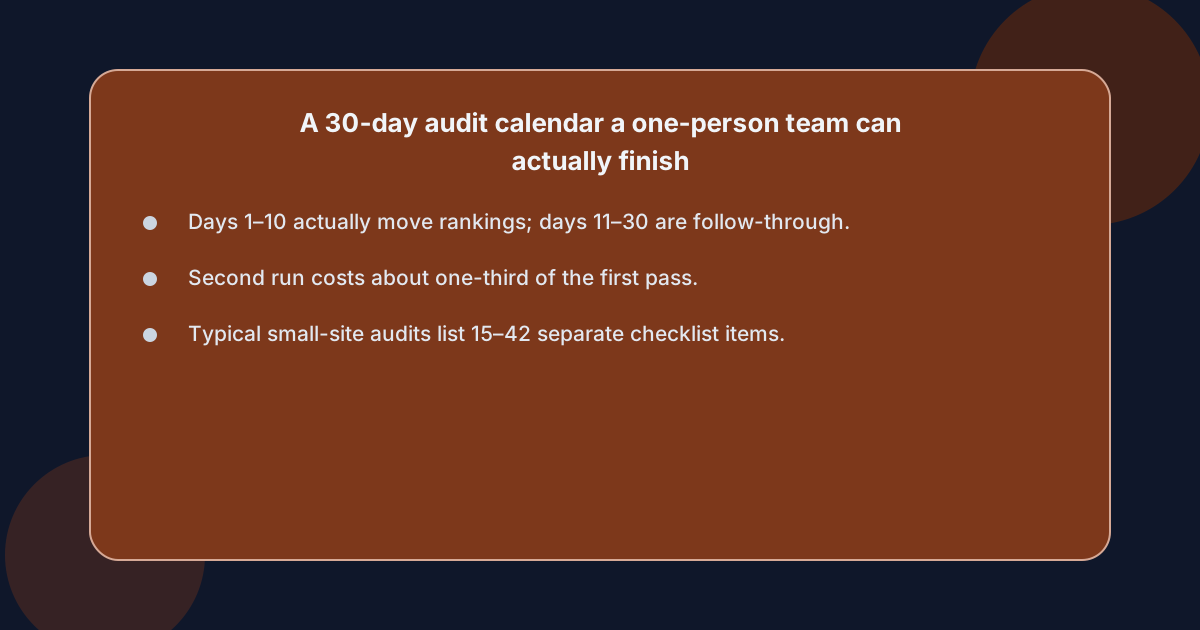
The honest version is that Days 1–10 are the only ones that genuinely change rankings; Days 11–22 are mechanical, and Days 23–30 are what turns the audit into a planning advantage. A small team that runs this calendar once gets the inventory spreadsheet as a permanent asset, and the second pass costs a third of the first.
Frequently asked questions
How often should a small site run a content audit?
A small site should run a full content audit every six months, with a shorter stale-post pass at the three-month mark between full audits. The six-month cadence lines up with the typical seasonality cycle for B2B queries and is long enough for any change made in the previous audit to show up in Search Console. The three-month stale-post pass only re-scores the posts tagged "update" in the previous audit, which is roughly a quarter of the inventory and takes a single afternoon.
What is the difference between a content audit and a content refresh?
A content audit is the full inventory, scoring and keep/update/delete decision across every URL on the site, while a content refresh is the act of updating one specific post against the audit's findings. The audit produces the list of posts that need refreshing; the refresh is the per-post work of rewriting, re-dating and re-submitting. Most small sites confuse the two and end up refreshing posts at random without ever running the audit that tells them which ones to touch.
What tools do you actually need to audit a small site?
A small site needs three things to run an audit: a crawler to enumerate the URLs, a Search Console export to attach queries and clicks to each URL, and a spreadsheet to hold the joined inventory and the scoring. A backlink tool is useful but optional at first pass, and an index-inspection tool is only necessary for the URLs that look broken or important. Anything beyond those four items is incremental, not foundational.
How do you tell when a post has decayed past the point of updating?
A post has decayed past updating when it scores zero on the freshness axis, has zero impressions in the last 16 months, and the topic no longer matches the offer the site sells today. At that level of decay the post is not salvageable by rewriting — the topic itself has moved, and the rewrite would effectively be a new post under an old URL. The right move is to write the new post at a fresh URL and 301-redirect the decayed URL to the nearest live match on the current topic.